/ADD
PARAMETERS
TYPE
URL (OPTIONAL)
NAME (OPTIONAL)
TAGS (OPTIONAL)
EXAMPLE
/REMOVE
PARAMETERS
NAME (OPTIONAL)
ALL (OPTIONAL)
WATCHED (OPTIONAL)
EXAMPLE
/LIST
PARAMETERS
TAG (OPTIONAL)
NAME (OPTIONAL)
RANDOM_CHOICE (OPTIONAL)
WATCHED (OPTIONAL)
EXAMPLE
/TAG
PARAMETERS
NAME
ADD (OPTIONAL)
REMOVE (OPTIONAL)
EXAMPLE
/WATCHED
PARAMETERS
NAME
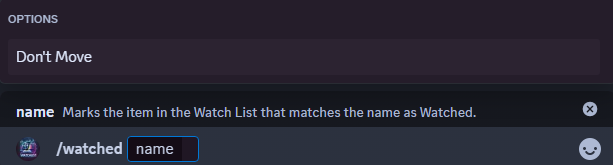
EXAMPLE
/POLL NEW
OPTIONS
Tag Filter
Include Watched
Auto-expiry
Question
EXAMPLE
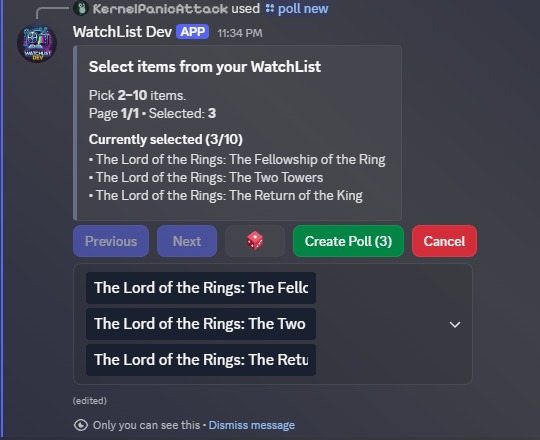
Random (Dice)
Choose Items (Dropdown)
EXAMPLE
/POLL CLOSE
OPTIONS
Choose Poll (Dropdown)
EXAMPLE
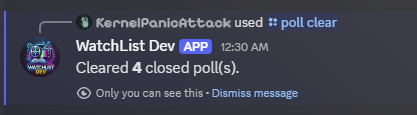
/POLL CLEAR
PARAMETERS
Everything (Optional)
EXAMPLE
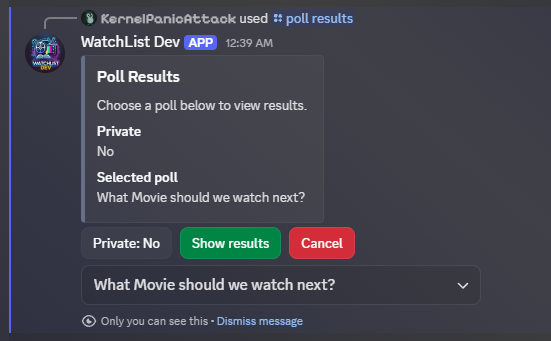
/POLL RESULTS
OPTIONS
Private
Choose Poll (Dropdown)
EXAMPLE
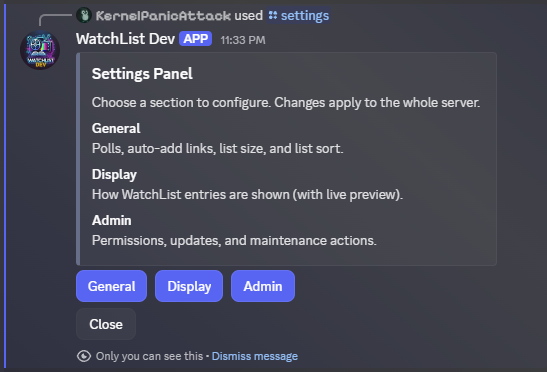
/SETTINGS
For more information on the settings panel, click here
/SHOW_SETTINGS
EXAMPLE
/SET_SETTINGS
PARAMETERS
CATEGORY
SETTING
VALUE
EXAMPLE
WatchList Settings:
Permissions Settings:
Slash Commands
Adds a new Item to store in the Watch List
Helps the bot determine how to search for the item you are requesting and automatically tags the items with the option choosen
Options: Movie, TVShow, YouTube, Other
Add either the IMDB URL or YouTube URL to search for a specific item to add.
Type in the name of the Movie or TV Show you would like to add. NOTE: does not work with YouTube
Automatically add tags to the item when it is added. Separate additional tags with a comma, no space. EX. Comedy,Horror,Indie


Removes one or multiple items from the Watch List
Removes an item in the Watch List that matches the same name.
(True) Removes all items in the Watch List. Will ask for confirmation before deleting. EX. /Remove all True
(True) Removes all items in the Watch List that have been tagged as watched

Provides a list of the items stored in Watch List
Lists out all items in the Watch List that have a specific tag
List out an item in the Watch List that matches the name
(True) Provides a random entry from the Watch List or from a specific tag if provided. EX. /List random_choice True
(True) Lists out all items in the Watch List tagged as Watched. EX. /List watched True

Edit Tags for a given item in the Watch List
The name of the item you want to edit tags on
Adds the tags provided. Separate additional tags with a comma, no space. EX. Comedy,Horror,Indie
Removes the tag you choose. Uses autocomplete to show what is currently tagged on the item


Marks an item as watched in the Watch List
Marks the item you choose as watched in the Watch List. Uses Autocomplete to shows you the the items in the Watch List
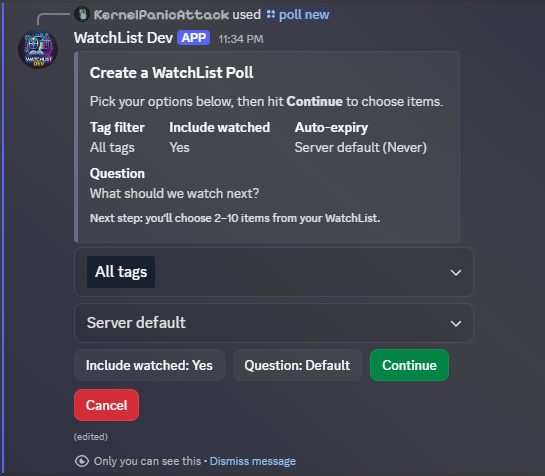
Create a new poll
Defaults to ‘All Tags’. Allows you to filter for options that have the chosen tags
Follows Default set in Settings. Can be set to Yes to include already watched items in the poll list or No to exclude them.
Follows Default set in Settings. Can be set to premade options or a custom time (set in number of minutes)
Defaults to ‘What should we watch next?’ or can be set to a custom question
Will pick a random 2, 5, or 10 items based on the size of the watchlist after all filtering. Can be overwritten manually in the list.
Choose the items you want in the poll. Min 2, Max 10.
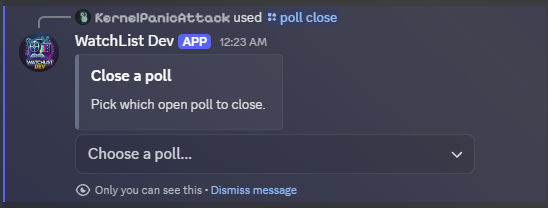
Close a poll
Choose the Poll you want to close. The bot will only show active polls. If there is only one poll active, the bot will auto-close the poll without the prompt
ClEARS a poll
TRUE/FALSE - If True, will clear out all polls. Both Closed and Open. (Defaults to False)
SHOW THE RESULTS OF a poll
Determine if the results will display just for you or everyone in the server
Choose which Poll you want to see the results of
OPens the settings panel
Legacy Commands
Display the current bot settings

Modify a specific setting for the Watch list bot
Options: Watchlist, Permissions
autocompletes values for specific Category chosen
autocompletes values for specific Setting chosen

auto_add_urls (Enables/Disables the Auto Add URL feature)
auto_add_channel_id (Sets the channel WatchList will monitor for URLs)
Options: admin role id (Sets the role required to make settings changes)